
Every venue, one terminal.
Find a market once, compare it across Polymarket, Kalshi, ProphetX and Limitless, and trade it from the Terminal or a Multibook board, as whichever pod you're trading.
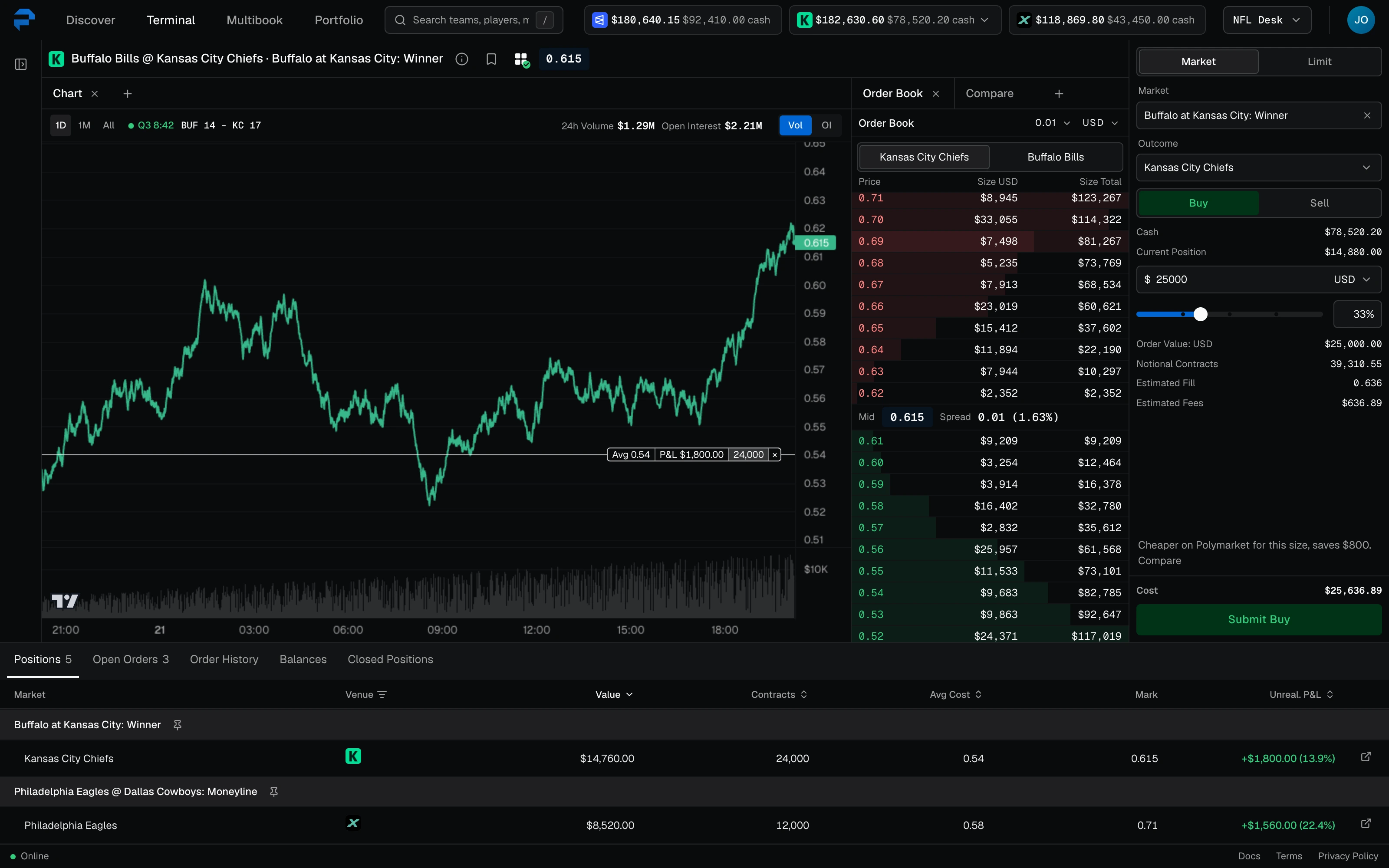
Find a market once. See every venue that lists it.
Polymarket, Kalshi and ProphetX each list the same game under their own name. Discover matches them into one event, with every venue's price side by side.
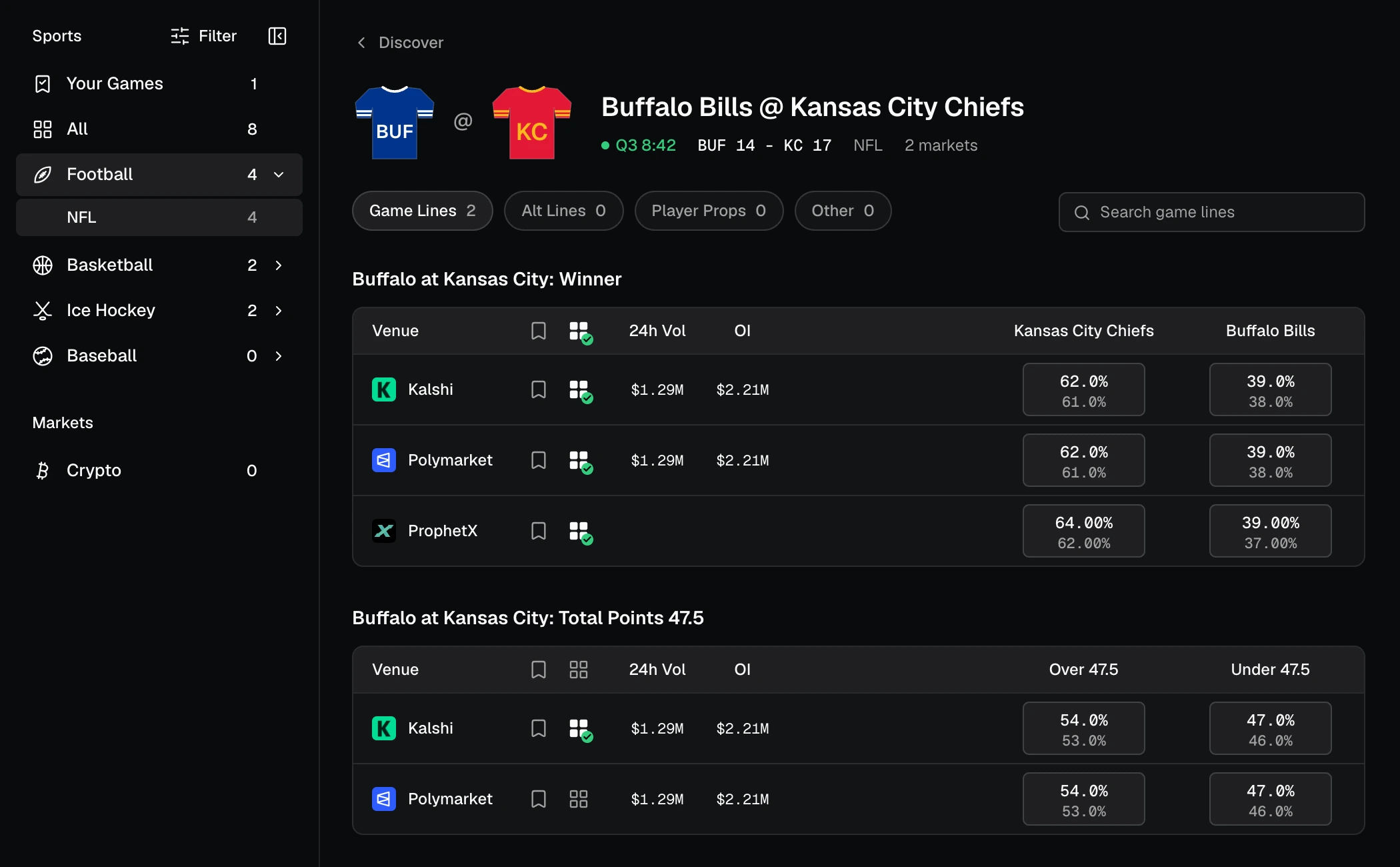
Compare your size across every venue.
Enter the size you want and see what it fills at on each venue that lists the outcome, before you place it.
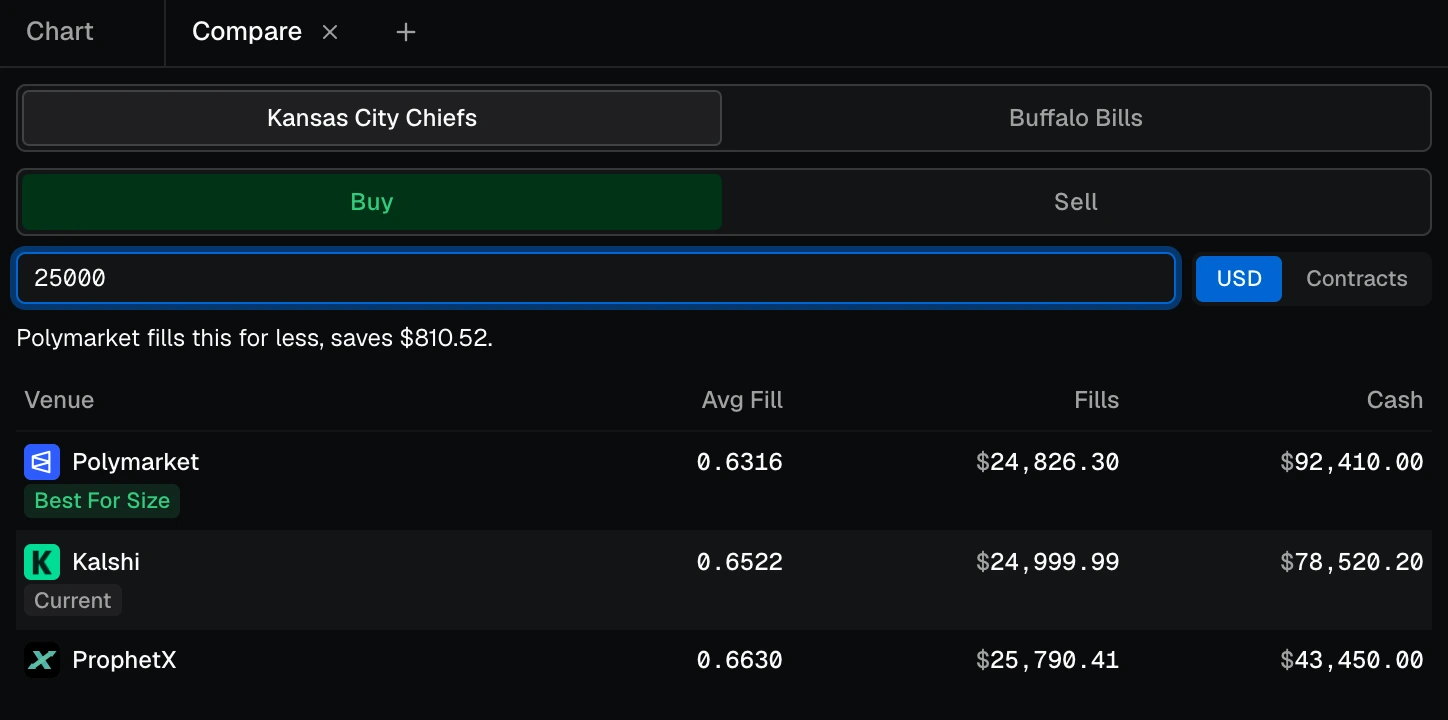
Trade one market in depth, or a whole slate at once.
Use the Terminal to drill into specific markets, or Multibook to trade multiple side by side.
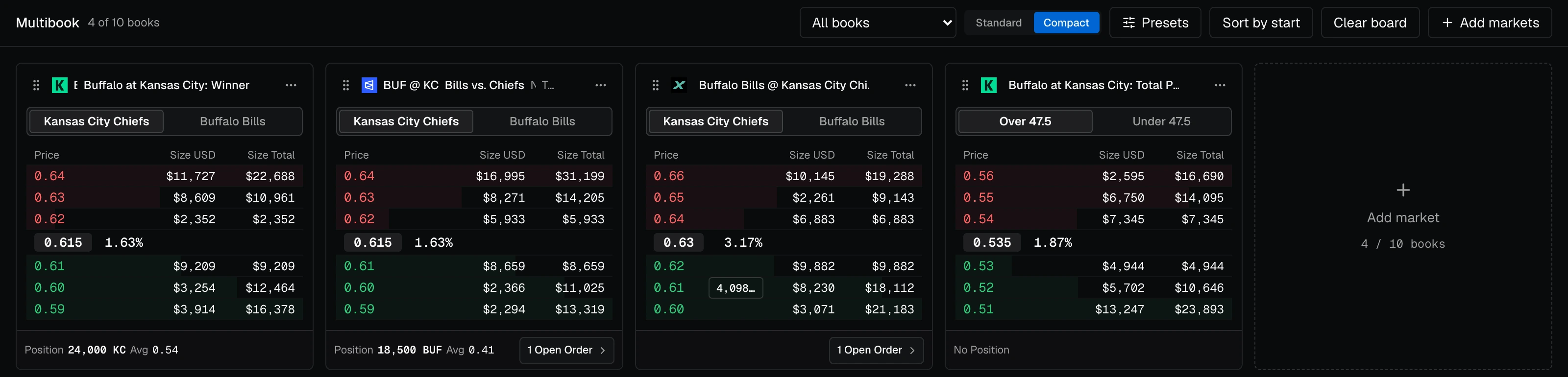
The Terminal
One market in depth: the chart, each venue's book and ladder, and the order slip, with your positions and orders underneath.
- Market and limit orders on any venue that lists the outcome
- One-click sizes at a share of your cash, up to Max
- Keep track of your fills and close positions individually or in bulk
Multibook
Put up to ten markets on one board and trade them side by side. Each card has its own book, outcome toggle and ticket, with your position and open orders underneath, and the board's presets set every ticket's default and one-click sizes at once.
Trade from a pod, switch between them freely.
Pick which pod to trade from: venues, balances, positions, and orders all follow.

Know where the pod stands, on every venue.
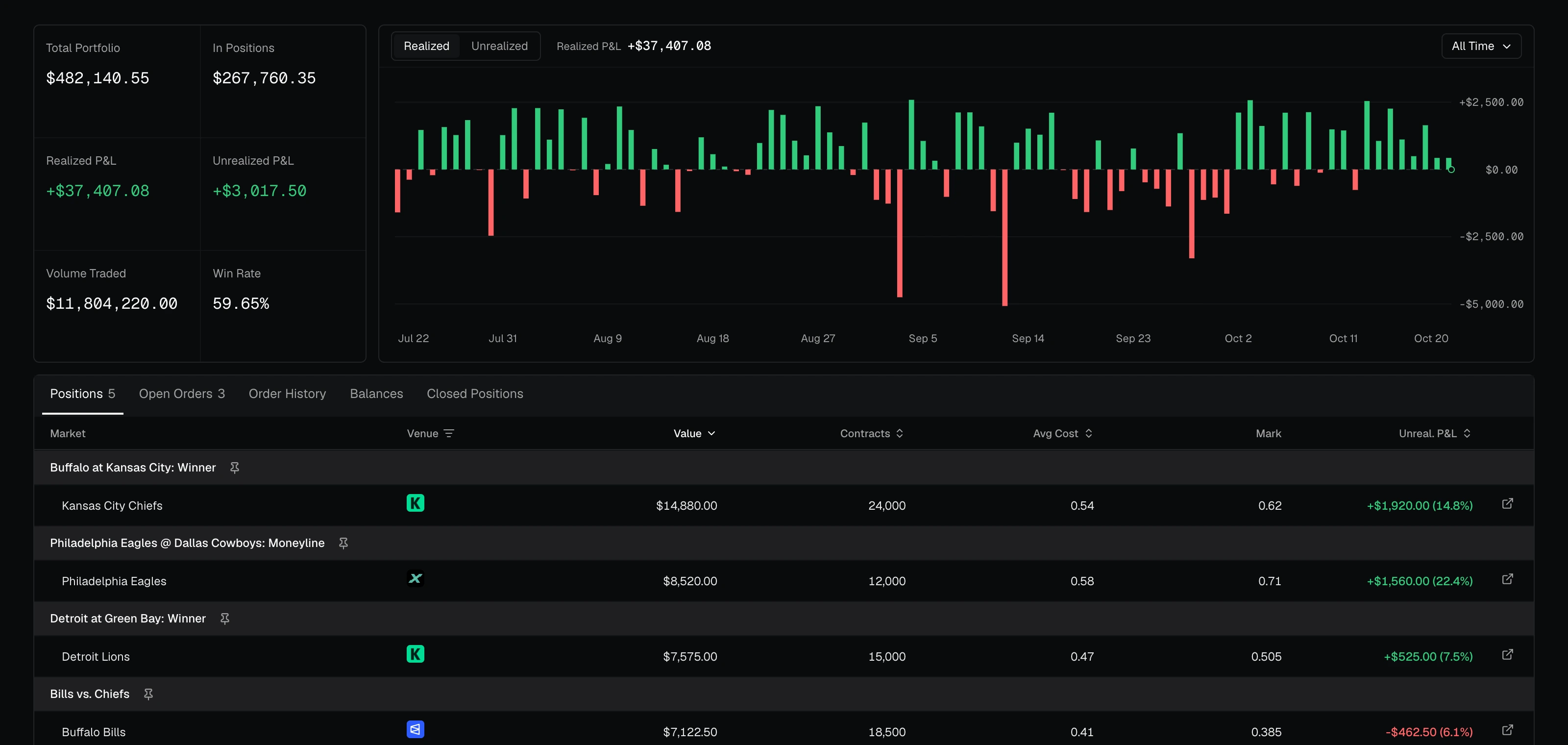
Positions, open orders and orders & fills across every venue in the active pod, marked live.
- Realized and unrealized P&L over time
- Volume traded and win rate
- Closed positions with the outcome that won, and CSV export of every fill
Questions, answered.
Who uses the Trading Platform?
Traders. Admins add them to pods from the Platform, and they sign in to trade.parlayx.com to trade those pods.
Which venues can I trade?
Polymarket, Kalshi, ProphetX and Limitless, with new venues added on request.
Can I trade the same pods programmatically?
Yes. Trader credentials can be used in the Trading Platform or programmatically, or both.